
How medical imaging software affects diagnostic workflow
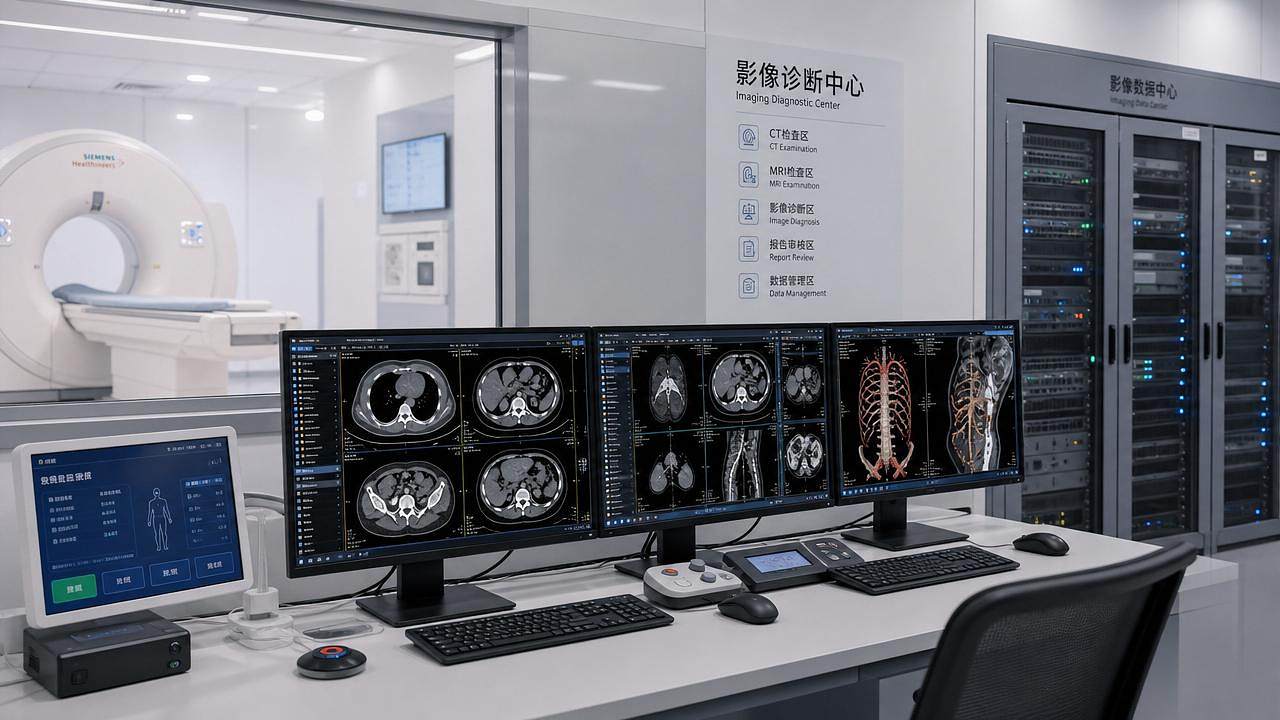




Medical imaging software is no longer just a viewing tool—it is a core driver of diagnostic speed, accuracy, and coordination across clinical teams. For operators and frontline users, understanding how it affects diagnostic workflow can mean fewer delays, clearer image interpretation, and better patient outcomes. This article explores how software capabilities shape daily imaging tasks, reporting efficiency, and decision-making in modern healthcare environments.
Why does medical imaging software now shape the entire diagnostic workflow?
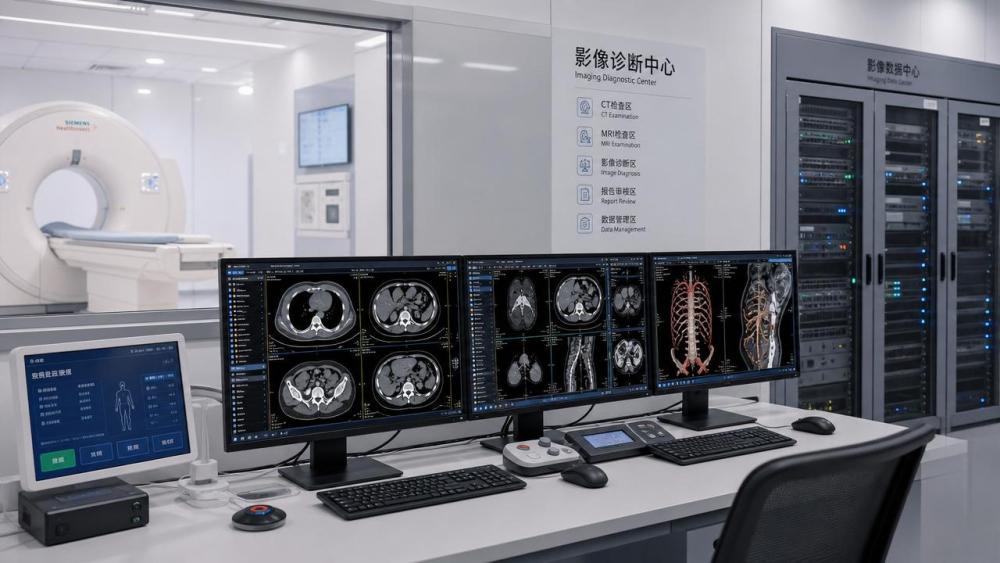
For many users, the biggest change in modern radiology is not only scanner hardware. It is the way medical imaging software connects acquisition, reconstruction, review, reporting, storage, and communication into one continuous process.
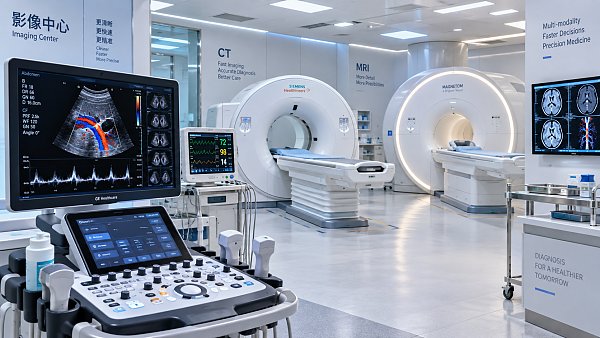
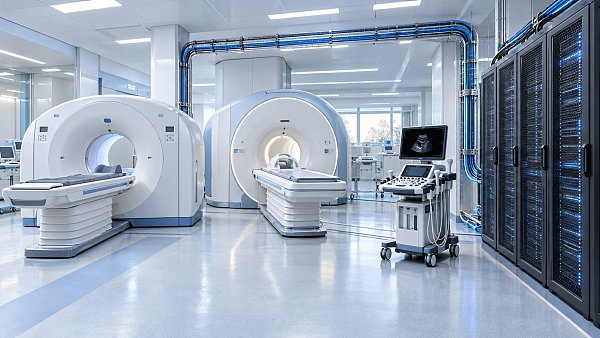
In CT, MRI, ultrasound, digital radiography, and endoscopy-related imaging environments, software affects how fast images appear, how clearly anatomy is displayed, and how easily findings move to the next clinical decision point.
That matters because operators often work under pressure. They manage exam queues, repeat scans, protocol consistency, urgent cases, and communication with radiologists, surgeons, ICU teams, and referring clinicians.
A weak software layer creates bottlenecks even when the scanner itself is advanced. A strong software layer reduces manual handling, supports cleaner workflows, and helps teams avoid preventable delays.
What the workflow really includes
- Patient and study preparation, including protocol selection and prior exam matching.
- Image acquisition and reconstruction, where speed and image quality directly influence repeat rates.
- Post-processing, measurement, annotation, hanging protocols, and comparison with historical imaging.
- Report generation, communication of critical findings, and integration into PACS, RIS, EHR, and archiving systems.
AMDS tracks this workflow from the technical layer to the operational layer. That perspective is useful because software decisions do not only affect radiology. They also influence biopsy planning, minimally invasive procedures, ICU decision support, and precision treatment pathways.
Which software functions have the biggest impact on frontline users?
Not every feature changes daily practice equally. Operators usually feel the impact of medical imaging software through a small group of functions that determine image availability, usability, and reporting speed.
The table below highlights workflow-critical software functions and how they affect day-to-day operations in busy clinical settings.
For operators, these functions are not abstract technology. They determine whether a trauma CT reaches review in minutes, whether a comparison MRI opens with the right layout, and whether a report moves smoothly to the treating team.
The most visible gains for users
- Fewer manual clicks between acquisition, post-processing, and export.
- More reliable protocol use across shifts and departments.
- Shorter turnaround from exam completion to radiologist action.
- Better communication when images support surgical, ICU, or oncology decisions.
How does medical imaging software affect speed, accuracy, and coordination?
A diagnostic workflow is only as strong as its slowest step. Medical imaging software influences three dimensions at once: time, interpretation quality, and cross-team coordination.
Speed: reducing friction in high-volume environments
In emergency departments and outpatient centers, even small software delays can multiply across dozens of studies. Slow reconstruction, awkward exporting, or poor prior-study matching can lengthen queues and reduce daily throughput.
Fast software does more than save minutes. It supports earlier reading, earlier intervention, and smoother patient movement between imaging, consultation, and treatment.
Accuracy: improving visibility and reducing avoidable error
Image quality is influenced by hardware, protocols, and patient factors, but software still plays a major role. Reconstruction tools, noise reduction, vessel analysis, lesion measurement, and multi-planar reformatting all shape the clarity of diagnostic information.
For frontline users, better software also means less dependence on ad hoc workarounds. If measurements, annotations, and comparisons are built into the workflow, variability between users is easier to control.
Coordination: connecting imaging to the rest of care
AMDS focuses on the wider clinical chain, not imaging in isolation. That matters because imaging findings often guide IVD testing, operating room planning, ICU escalation, and minimally invasive pathway selection.
When medical imaging software supports interoperability, different teams can see the same visual evidence with less delay. That strengthens clinical confidence and reduces the risk of fragmented decisions.
Which workflow problems usually indicate the software layer is the bottleneck?
Operators often blame scanner workload or staffing shortages first. Those factors matter, but software friction is frequently hidden inside routine inefficiency. Recognizing it early helps avoid poor procurement or upgrade decisions.
Common warning signs
- Users manually rename, re-route, or re-sort studies because worklists are unreliable.
- Radiologists frequently adjust layouts because hanging protocols do not fit actual reading patterns.
- Urgent exams are not automatically prioritized, forcing phone calls and manual escalation.
- Post-processing for vascular, cardiac, or oncology studies requires too many steps or secondary tools.
- Reports are delayed because measurements and findings are not transferred smoothly into reporting templates.
These issues may not look dramatic in isolation. However, together they increase user fatigue, reduce consistency, and make it harder to maintain quality during peak demand.
How should operators compare medical imaging software before selection or upgrade?
Selection should not be driven only by visual interface demos. Frontline teams need to compare software based on actual workflow fit, integration burden, and long-term usability.
The comparison table below can help users and procurement stakeholders evaluate medical imaging software in a practical way.
A good comparison process should involve operators, radiologists, IT, and procurement together. Each group sees different risks. The strongest choice is usually the one that reduces friction across all of them, not just the one with the longest feature list.
A practical shortlisting method
- Map your top three workflow pain points, such as turnaround time, post-processing burden, or poor system integration.
- Request a use-case demonstration based on your real study types, not a generic sales sequence.
- Test multi-user performance during typical peak conditions.
- Check how findings move into reports and downstream clinical systems.
- Assess support requirements, upgrade path, and user training resources before final selection.
What should users know about compliance, interoperability, and implementation risk?
Software that performs well in a demo may still fail in deployment if compliance and integration are treated as secondary issues. In healthcare, implementation quality is part of workflow quality.
Why compliance matters in daily operations
Clinical software handles protected patient information, exam traceability, user actions, and sometimes AI-assisted decision support. That creates expectations around cybersecurity, logging, validation, and controlled update processes.
AMDS brings value here because its strategic intelligence approach connects software performance with access and compliance realities, including widely recognized frameworks such as FDA pathways, CE MDR considerations, and hospital-level governance requirements.
Implementation risks operators should raise early
- Will existing PACS, RIS, and EHR systems accept the new workflow without custom workarounds?
- Can user permissions be assigned by role to protect data and simplify operation?
- How will protocol libraries, hanging protocols, and report templates be migrated?
- What is the rollback plan if updates interrupt urgent reading or image routing?
These are not only IT questions. They directly affect how confident operators feel during live use, especially in trauma, oncology, cardiovascular, and ICU-linked workflows.
Where does medical imaging software create value beyond radiology?
A common mistake is to view imaging software as a radiology-only tool. In reality, it can influence the broader clinical chain, especially where imaging findings guide urgent or high-cost decisions.
Cross-department value areas
- Oncology, where structured lesion tracking supports treatment assessment and follow-up planning.
- Cardiovascular care, where rapid reconstruction and vessel analysis can speed intervention decisions.
- ICU and emergency medicine, where urgent image routing and review reduce delays in critical care escalation.
- Minimally invasive and endoscopic procedures, where clear preoperative imaging supports path planning and procedural confidence.
- IVD-linked precision medicine pathways, where imaging and biochemical evidence must align for treatment selection.
This broader viewpoint matches the AMDS model. Imaging does not stand alone. It intersects with diagnostics, life support, surgical infrastructure, and data-driven clinical strategy.
FAQ: what do operators ask most about medical imaging software?
How do I know whether workflow delays come from software or scanner hardware?
Look at where time is lost. If acquisition is fast but images load slowly, post-processing is cumbersome, or reports are delayed by system handoffs, the software layer is likely a major factor. Track timestamps from scan end to image availability and from availability to final report.
Is AI in medical imaging software always necessary?
Not always. AI is most useful when it solves a defined workflow problem, such as triaging urgent findings, assisting repetitive measurements, or supporting consistency in high-volume reading. If AI adds alerts without fitting local workflow, it can increase noise instead of reducing risk.
What should be prioritized when budgets are limited?
Start with interoperability, performance stability, and workflow fit. A visually impressive platform is less valuable if it cannot connect cleanly to PACS, RIS, or reporting systems. Operators benefit more from reliable daily efficiency than from niche features they rarely use.
How long does implementation usually take?
The timeline depends on integration complexity, migration needs, and validation requirements. A basic deployment may move faster, while multi-site or highly integrated environments take longer due to interface testing, user setup, workflow configuration, and training. A realistic project plan matters more than an aggressive promise.
Why choose us for workflow-focused medical imaging software insight?
AMDS helps teams evaluate medical imaging software through the full clinical and operational lens. That means looking beyond image viewing to reconstruction logic, reporting flow, compliance expectations, and downstream impact on diagnostics, life support, and minimally invasive care pathways.
If you are comparing platforms, planning an upgrade, or trying to reduce workflow friction, you can consult AMDS on specific issues rather than broad claims.
- Parameter confirmation for reconstruction, visualization, workflow routing, and reporting functions.
- Product selection guidance based on department volume, modality mix, and clinical use cases.
- Integration and delivery planning, including implementation sequence and system compatibility concerns.
- Compliance review support related to common regulatory and hospital governance expectations.
- Custom solution discussion for oncology, cardiovascular, ICU, surgical, or multi-site diagnostic workflows.
- Quotation communication and project scoping based on actual workflow priorities, not generic feature bundles.
For operators and decision-makers, the right medical imaging software should not simply add functions. It should remove friction, shorten decision time, and strengthen clinical coordination. That is the standard worth using when the workflow directly affects patient outcomes.
Recommended News
 Oct 02, 2026High-Flow ICU Ventilators: Key Selection Criteria for Acute Respiratory CareICU ventilators high flow: discover key selection criteria for accurate gas delivery, NIV performance, humidification, alarms, reliability, and safer acute respiratory care.
 Oct 01, 2026How to Evaluate Medical Equipment Intelligence Suppliers for Hospital ProcurementMedical equipment intelligence suppliers: learn how hospitals can assess evidence quality, total cost, compliance, interoperability, and cybersecurity for smarter procurement decisions.
 Sep 30, 2026ISO 13485 Requirements for Blood Testing Instruments: A Buyer’s ChecklistBlood testing instruments ISO 13485 buyer’s checklist: verify certification scope, traceability, installation, consumables, and supplier support before you buy.
 Sep 29, 2026How to Evaluate Integrated Operating Room Systems for Workflow, Imaging, and IT IntegrationIntegrated operating room systems: evaluate workflow, imaging, IT integration, cybersecurity, and lifecycle value to select a scalable surgical solution.
 Sep 28, 2026How to Evaluate a Genetic Testing Equipment Supplier for PCR Lab ProcurementGenetic testing equipment supplier evaluation guide for PCR labs: compare performance, compliance, workflow, service, supply resilience, and total cost.
 Sep 27, 2026How to Specify Custom Benchtop Diagnostic Instruments for Your Assay WorkflowCustom diagnostic instruments benchtop guide: specify optics, fluidics, automation, software integration, and support to build a reliable assay workflow.
 Sep 26, 2026How Cardiac Imaging Analysis Tools Turn CT and MRI Data into Clinical MetricsMedical imaging analysis cardiology tools transform cardiac CT and MRI into reliable metrics. Explore segmentation, validation, workflow integration, and AI review.
 Sep 25, 2026How Iterative Image Reconstruction Algorithms Balance CT Dose, Noise, and DetailIterative image reconstruction algorithms help CT teams balance dose, noise, and diagnostic detail. Explore practical insights for confident imaging decisions.
 Sep 24, 2026What Drives the Total Cost of Medical Technology Solutions Over Their Lifecycle?Medical technology solutions cost goes far beyond purchase price—explore lifecycle drivers from installation and service to software, training, compliance, and downtime.
 Sep 24, 2026Diagnostic Imaging Technology: How Modalities Support Different Clinical DecisionsDiagnostic imaging technology supports smarter clinical decisions across CT, MRI, ultrasound, and nuclear imaging. Explore modality strengths, workflows, and selection factors.
 Sep 22, 2026How Life Science Labs Can Select Biomedical Research Equipment by Workflow and ThroughputBiomedical research equipment life science labs can select with confidence by aligning workflow, throughput, automation, data integrity, and scalable support.
 Sep 21, 2026How to Plan LIS Connectivity for Chemiluminescence Analyzers Without Data GapsChemiluminescence analyzers LIS connectivity: learn how to prevent data gaps with field mapping, exception workflows, end-to-end validation, and reliable go-live planning.
 Sep 20, 2026Selecting Fluorescence PCR Instruments: Detection Channels, Sensitivity, and Workflow FitPCR diagnostic instruments fluorescence detection guide: compare channels, sensitivity, multiplexing, and workflow fit to select a reliable platform.
 Sep 19, 2026Biomedical Signal Processing: From Sensor Data to Clinical Decision SupportBiomedical signal processing transforms sensor data into reliable clinical decision support. Explore AI, imaging, IVD, ICU monitoring, and compliance-ready MedTech insights.
 Sep 18, 2026How to Evaluate a Diagnostic Imaging Platform for Multi-Modality Workflow IntegrationDiagnostic imaging platform evaluation guide: assess multi-modality workflows, interoperability, AI integration, image integrity, security, and scalability for safer clinical decisions.
 Sep 17, 2026ISO 13485 for Medical Imaging Equipment: What Manufacturers Must DocumentMedical imaging equipment ISO 13485: discover essential documentation for design controls, risk management, traceability, software, and post-market quality.
 Sep 16, 2026Robotic MIS Equipment: What Hospitals Should Evaluate Before AdoptionMinimally invasive surgical equipment robotic adoption guide: evaluate workflow, safety, imaging, costs, cybersecurity, and service readiness.
 Sep 15, 2026How to Evaluate Biomedical Signal Processing Suppliers for Clinical Device ProjectsBiomedical signal processing supplier evaluation guide for clinical device teams—compare signal fidelity, regulatory evidence, cybersecurity, integration, and lifecycle support.
 Sep 14, 2026How Integrated Clinical Diagnostics Solutions Reduce Turnaround Time Across Lab WorkflowsIntegrated clinical diagnostics solutions reduce lab turnaround time by connecting workflows, automation, and data. Discover practical strategies for faster, traceable results.
 Sep 13, 2026ECMO System Market Outlook: Demand Drivers, Investment Risks, and Growth OpportunitiesECMO system market outlook explores demand drivers, investment risks, regulatory factors, and growth opportunities shaping critical-care innovation and adoption.
 Sep 12, 2026Where to Find Reliable Medical Device Information for Research and Due DiligenceMedical device information resource guide for due diligence: verify regulatory, clinical, safety, and technical evidence to make confident decisions.
 Sep 11, 2026Medical Equipment Intelligence: A Resource for Comparing Clinical TechnologiesMedical equipment intelligence resource for comparing clinical technologies by clinical fit, compliance, workflow, and total cost—make confident, evidence-led decisions.
 Sep 10, 2026How to Integrate Application-Specific Medical Solutions Into Existing Clinical WorkflowsApplication-specific medical solutions integration: learn how to align clinical workflows, interoperability, safety, and measurable outcomes for reliable deployment.
 Sep 09, 2026Medical Supplier Evaluation Checklist: How to Verify Quality, Compliance, and Delivery RiskMedical supplier evaluation checklist for verifying quality, compliance, service capacity, configuration accuracy, and delivery risk before purchase approval.








Related News
- 00
0000-00
How Iterative Image Reconstruction Algorithms Balance CT Dose, Noise, and Detail - 00
0000-00
Lead Glass Applications in Imaging Rooms: A Practical Buyer Guide - 00
0000-00
Medical Imaging Diagnostics Systems: Core Modalities, Use Cases, and Trade-Offs - 00
0000-00
AI in Medical Imaging Radiology: Where It Improves Reading Speed and Where It Falls Short - 00
0000-00
Saudi SFDA Opens 18-Day Fast Track for DR Devices
Weekly Insights
Stay ahead with our curated technology reports delivered every Monday.